Enrich LinkedIn profiles with work email and direct dial information.
Open the profile of someone you already want to reach, use the RioPulse Chrome extension, and get available work email and direct mobile number information, checked before you use it.
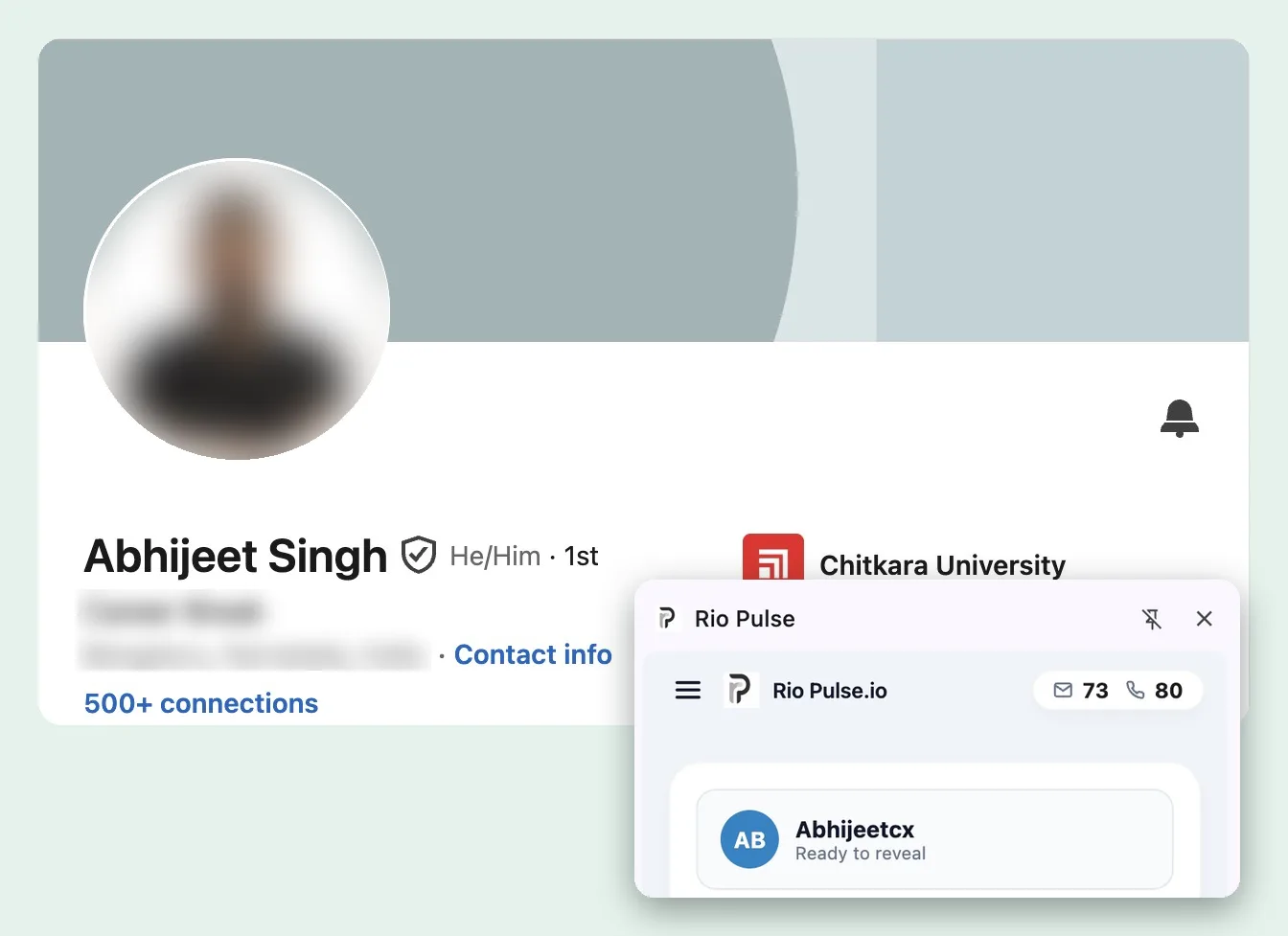
The profile tells you who. It doesn't tell you how to reach them.
LinkedIn is where you find the right person: their role, their company, their background. What it usually won't give you is a work email or a direct number for outreach outside LinkedIn.
RioPulse fills that gap right from the profile you're already looking at.
Same profile. The side panel fills in the contact.
Drag the handle across the profile.
And the company switchboard, for the phone.
 RioPulsecredits 96 · 97
Drag the handle, or focus it and use the arrow keys.
From profile to contact in four steps
Log in and install the extension
After you log in, install the RioPulse Chrome extension. It's available on every plan.
Open a LinkedIn profile
Go to the profile of someone you already want to reach. The extension shows which details are available.
Reveal and save
Reveal the contact. Available work email and direct dial information goes through verification checks, and you can save it to My Leads.
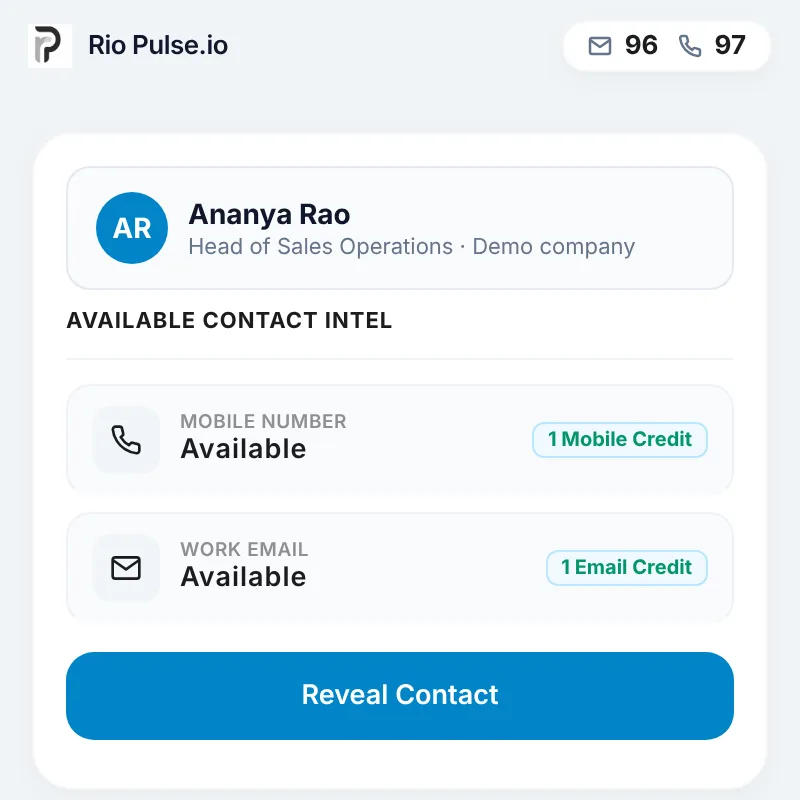
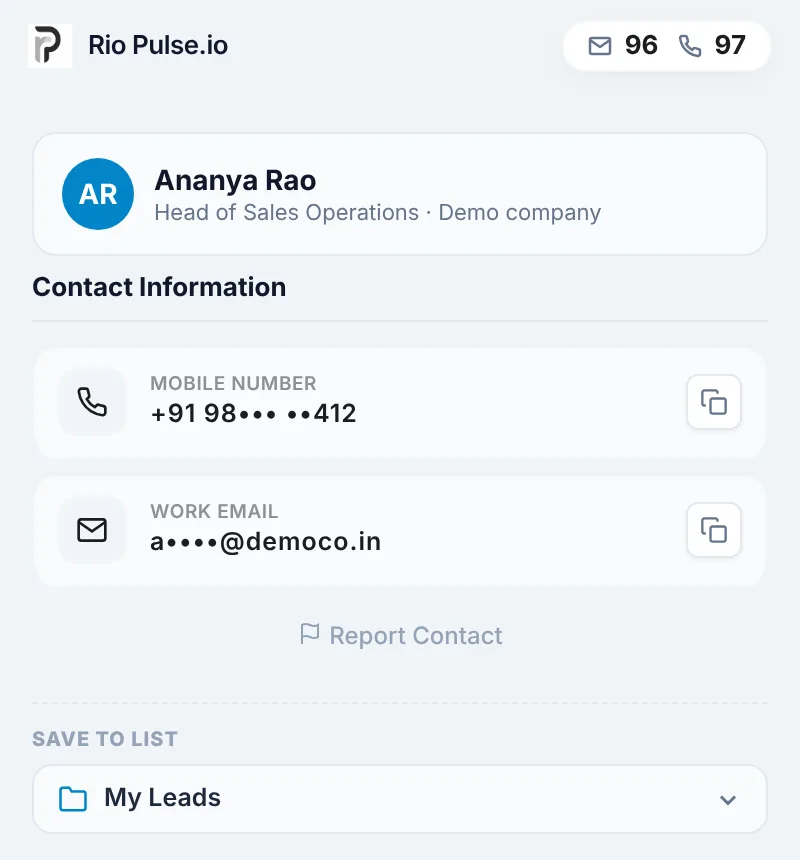
Work email and direct dial, from one profile
Work email
The address they use at work. Checked with SMTP verification and additional checks for catch-all domains.
Explore Work Email FinderDirect dial
A direct mobile number for the business contact. Checked through multiple verification checks, including Shield Mobile.
Explore Direct Dial FinderWork email and phone credits are separate, so you use each where you need it.
Checked before you use it
Each enrichment draws on 15+ data sources, then runs verification checks on what comes back. Work emails go through SMTP verification, with additional checks for catch-all domains. Mobile numbers are checked for validity by Shield Mobile.
If a contact still turns out to be wrong, report it. Once it's confirmed incorrect, the credit goes back to the matching balance. Read the Refund Protection Policy
The Chrome extension is on every plan
From Starter to Scale, every RioPulse plan includes the Chrome extension, Indian and global contacts, and My Leads.
See pricingEvery profile you enrich, kept in one place
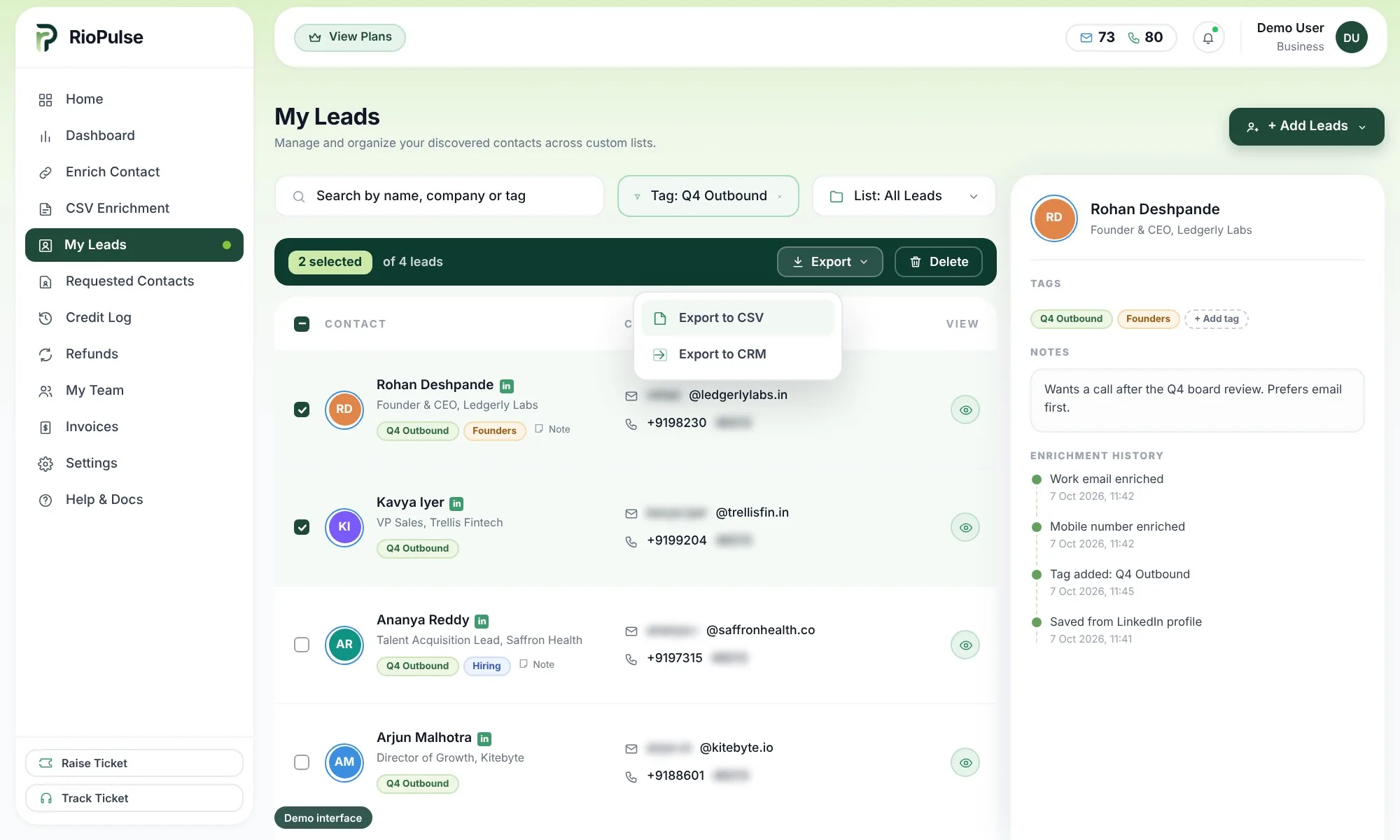
Save enriched contacts to My Leads, where you can search, filter, add tags and notes, and see enrichment history. Export to CSV or CRM on Professional, Business and Scale plans.
Enrichment, not automation
RioPulse enriches the profiles you choose, one person at a time, with contact information for your outreach. It isn't a LinkedIn automation or scraping tool. It doesn't send connection requests, messages or emails.
LinkedIn is a trademark of LinkedIn Corporation. RioPulse is not affiliated with LinkedIn.
LinkedIn enrichment questions
Do I need an account to use the extension?
Which plans include the Chrome extension?
What information do I get from a LinkedIn profile?
Will every profile return both a work email and a direct dial?
Does RioPulse automate LinkedIn?
Where do enriched contacts go?
I have a list of LinkedIn profiles. Can I enrich them together?
Is RioPulse affiliated with LinkedIn?
Other ways to reach the people you chose
Work Email Finder
The address they actually use at work, checked before you send.
Direct Dial Finder
The direct mobile number for the business contact you want to call.
Bulk Contact Enrichment
Upload the list you already have. Get it back enriched in My Leads.
Already looking at the right profile?
Enrich it with RioPulse and see the work email and direct dial information available.